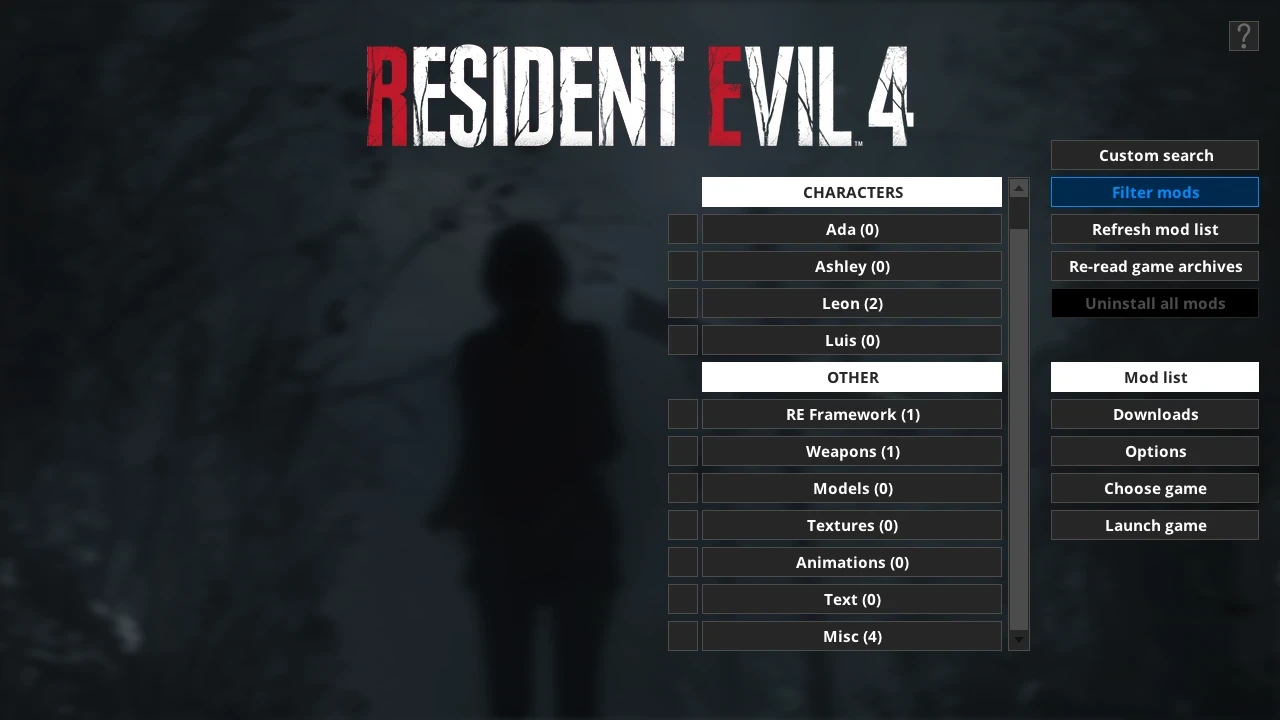
What is Fluffy Mod Manager?
Fluffy Mod Manager, previously known as Fluffy Manager 5000, is a free PC mod management tool created by FluffyQuack. It helps players install and organize compatible mods for a growing selection of games, especially Resident Evil and other Capcom titles.
The manager keeps supported mods in organized game folders and lets you activate or deactivate them from its interface. Some games also include a mod downloader, trainer options, or other utilities.
How do I install Fluffy Mod Manager?
Download the official ZIP archive, extract it to a normal writable folder, and run Modmanager.exe. Choose your game, confirm its installation path, then add compatible mod archives to the manager's Mods folder for that game. Refresh the mod list and select a mod to install it.
Which games does it support?
Support varies by release, but the official tool covers many Resident Evil titles along with games such as Devil May Cry 5 and SoulCalibur VI. Open Choose game inside the manager to see the complete list available in your installed version.
Should I uninstall mods before a game update?
Yes. Disable or uninstall active mods before applying a major game patch when possible. After the game updates, use the manager's option to re-read game archives, then install only mods confirmed to work with the new game build.
Why is a mod not appearing?
Confirm that the archive supports the selected game and uses the folder structure expected by Fluffy Mod Manager. Then refresh the mod list. Some mods may need to be extracted or repackaged according to their author's instructions.
Is Fluffy Mod Manager safe?
Download the manager from FluffyQuack's official website or official Nexus Mods page. Back up important saves, read each mod's compatibility notes, and avoid mixing files designed for different game versions.