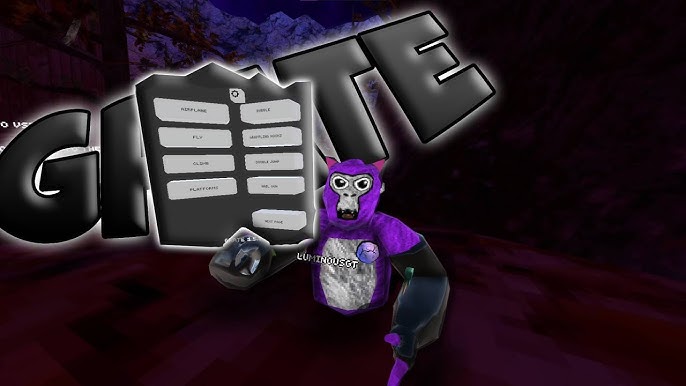
What is Grate Mod Menu?
Grate Mod Menu is a Gorilla Tag mod menu for players who want a cleaner in-game interface, a modern feature layout, and quick access to useful menu controls. It is presented as a Windows DLL package for PC-based Gorilla Tag modding setups and focuses on a simple menu flow that is easy to browse during play.
The menu highlights include movement tools, visual tweaks, and a utility panel that keeps related options organized in one place. Its official page lists Grate Mod Menu as version 1.8.2 with the primary file name Grate.dll.
How to set up Grate Mod Menu
Download the latest Grate DLL file, prepare your Gorilla Tag modding tools, and place the plugin file in the correct plugins or mods folder for your setup. After that, launch Gorilla Tag through the modded environment and confirm that the menu loads correctly.
If the menu does not appear, recheck the folder location, confirm that supporting files such as the mod loader are installed, and make sure the menu version matches your current Gorilla Tag build.
Is Grate Mod Menu safe?
Grate Mod Menu should only be downloaded from a trusted source, and users should understand that modding multiplayer games can carry account or compatibility risks. Use mods responsibly, follow Gorilla Tag community rules, avoid public lobbies where mods are not allowed, and keep backups of important files before changing your game setup.
Does Grate Mod Menu work on every Gorilla Tag version?
No. Compatibility can change when Gorilla Tag updates or when the required mod loader changes. If the menu stops loading after a game update, check for a newer Grate release and confirm that your supporting modding tools are also up to date.
Where should I place the Grate.dll file?
Grate.dll should be placed in the correct plugins or mods folder used by your Gorilla Tag modding setup. The exact folder can vary depending on your loader, so check your mod manager or loader instructions before moving the file.